
Beyond Replay: How to Get Your Apple Music Lifetime Stats

In the world of music data, Apple has always been the "Walled Garden." While they’ve made massive strides with the Monthly Replay updates in 2025, they still don't give you a native way to see your raw, unweighted lifetime play counts.
If you want to know exactly how many times you’ve streamed a specific niche indie track over the last five years, or who you actually listened to most during that one summer in 2021, you have to go deeper than the Replay dashboard. You need your Apple Media Services Information.
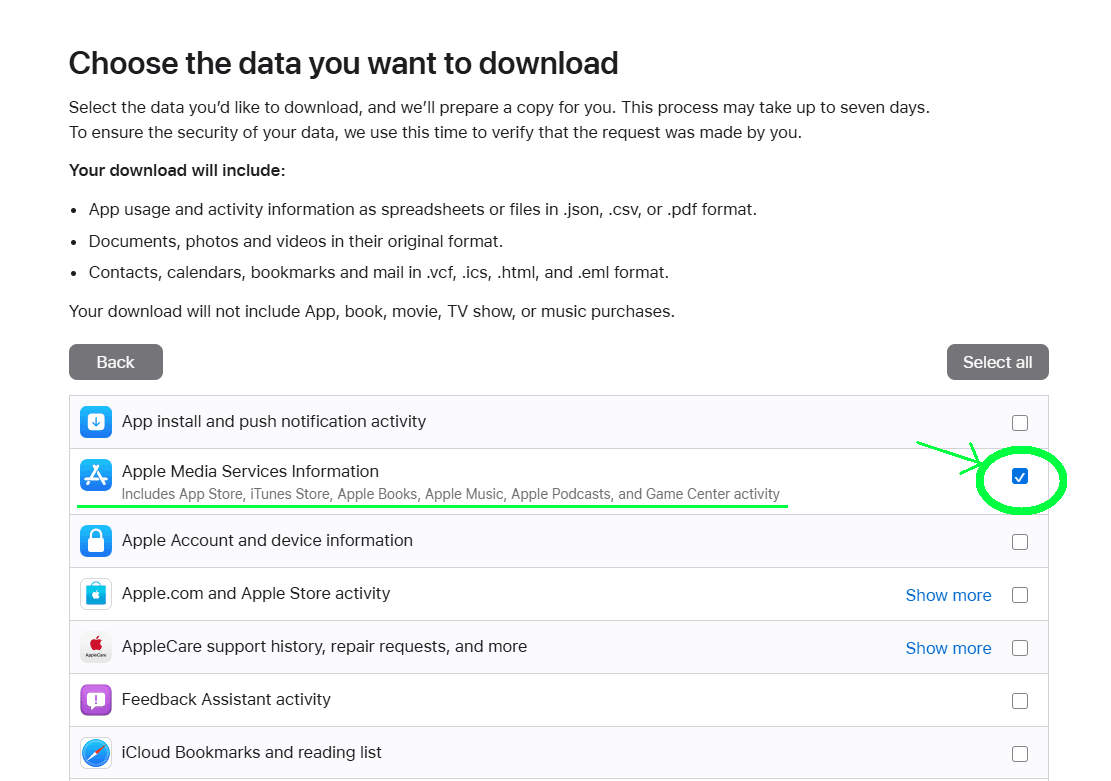
1. The 7-Day Wait
Unlike Spotify, which has optimized its data exports to take as little as 24 hours, Apple takes its time. When you request your data via privacy.apple.com, Apple manually compiles your archive.
- Timeline: Expect to wait between 4 to 7 days.
- The Notification: You’ll receive an email from Apple titled "Your data is ready for download."
- The Status: If you haven't heard back after a week, check privacy.apple.com/account manually.
2. The "Multi-Part" ZIP Quirk
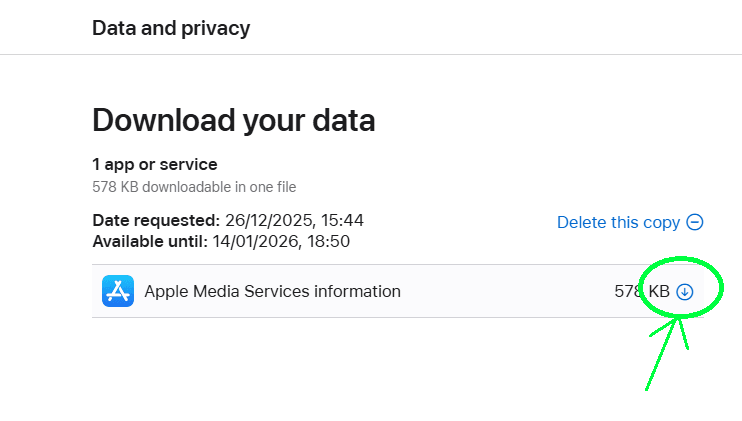
Apple handles large datasets differently. Instead of one giant file, they often split your data into 1GB ZIP parts.
One of the biggest mistakes users make is only downloading "Part 1." To get a complete picture for mystats.music, you must download every single part Apple provides. Each ZIP contains a piece of the puzzle, and our parser needs the full set to ensure your lifetime minutes aren't cut short.
3. Comparing the Experience: Replay vs. Full Data
Why go through the trouble of a 7-day wait? Because the data is objectively more accurate.
 Apple Music Replay
 mystats.music (Full Export)
4. What Happens to Your Privacy?
At mystats.music, we built this app as Full Stack Engineers who value privacy as much as you do. When you upload those Apple ZIP files, the "compute" happens entirely in your browser.
We don't require a social login to see your stats, and we don't store your raw history on our servers. It’s your data, your session, and your results. We just provide the engine to turn those boring spreadsheets into the charts you actually want to see.
Ready to see your real Apple Music story? Start the request at the Apple Privacy Portal today. Once that email hits your inbox, we’ll be ready to show you what’s really been happening in your headphones.
Insight Tool
Unlock Your Apple History
Requesting your data is the first step toward true music self-discovery. Follow our guide, get your ZIPs, and let the data speak for itself.